Decal Instructions: A Comprehensive Guide
This guide details applying decals, from preparation to finishing, covering waterslide, dry transfers, and self-adhesive types. It includes techniques for curved surfaces and using tools like Cricut.
Understanding Decals
Decals are essentially images or designs transferred from a backing paper to a surface, enhancing its appearance with detail and personalization. They’ve become incredibly popular across diverse applications, ranging from model building and customizing tumblers to automotive detailing and even intricate miniature work like adorning Space Marine miniatures.
The core principle involves adhesion – getting the design to stick firmly and smoothly to the target surface. However, the method of achieving this adhesion varies significantly depending on the type of decal. Understanding these differences is crucial for successful application. Factors like the surface material, the decal’s composition, and the desired finish all influence the best approach.
Proper decal application isn’t simply sticking something on; it’s a process that requires preparation, careful execution, and often, the use of specialized products like decal fixers and setters to ensure a professional, bubble-free, and long-lasting result. Mastering these techniques unlocks a world of creative possibilities.
Types of Decals Available
The decal world offers a variety of options, each suited to different projects and skill levels. Waterslide decals are arguably the most common, favored by modelers for their intricate detail and ability to conform to curved surfaces after soaking and sliding into position. They require careful handling and often benefit from decal softener.
Dry transfer decals, conversely, apply directly to the surface with pressure, leaving the design behind as the backing is removed. These are often used for smaller, simpler designs and demand precise placement as repositioning is difficult. Self-adhesive decals, similar to stickers, are the easiest to apply, making them ideal for beginners and quick projects.
Beyond these core types, decals can also be created using machines like Cricut, allowing for custom designs cut from vinyl. The choice depends on the complexity of the design, the surface being decorated, and the desired level of durability and finish.
Waterslide Decals: The Most Common Type
Waterslide decals dominate the modeling and customization world due to their versatility and detail. These decals feature a design printed on a soluble backing. The process begins by carefully cutting excess material around the design, minimizing handling difficulties. Soaking the decal in lukewarm water for a specified time releases the design from its backing.
A crucial step involves using decal softener, like GSW Decal Fixer, applied to the model’s surface before and sometimes after application. This helps the decal conform to contours and reduces silvering – the appearance of air bubbles trapped beneath the decal. Gently sliding the decal from the backing onto the surface requires patience.
Removing excess water with a soft cloth and addressing any remaining air bubbles completes the initial application. Proper sealing with a decal fixer ensures long-lasting adhesion and protects the design.
Dry Transfer Decals
Dry transfer decals, unlike waterslide versions, don’t require water. Instead, they utilize a sticky carrier sheet. These decals are applied by firmly rubbing the design onto the target surface, transferring the image directly. This method is favored for its precision and minimal risk of wrinkling or silvering, common issues with waterslide decals.
However, dry transfers are less forgiving. Positioning is critical, as repositioning can be difficult or impossible. Careful alignment is essential before applying pressure. They are often used for smaller details or markings where absolute accuracy is paramount, like shoulder pad details on miniature models.
While they don’t need softening solutions, ensuring a perfectly clean and smooth surface is vital for optimal adhesion. Removing the backing sheet slowly and evenly aids in a clean transfer, avoiding tearing or incomplete application.
Self-Adhesive Decals
Self-adhesive decals are the simplest to apply, resembling stickers. They feature a pre-applied adhesive backing, eliminating the need for water or transfer agents. These decals are widely used for various applications, including tumblers and general crafting projects, due to their ease of use and versatility.
Application involves peeling the backing and carefully positioning the decal onto the surface. Using transfer tape can be beneficial for intricate designs or larger decals, ensuring accurate placement and preventing tearing. Smooth out any air bubbles with a squeegee or a soft cloth, working from the center outwards.
While convenient, self-adhesive decals may not conform as well to complex curves compared to waterslide options. Surface preparation remains crucial; a clean, smooth surface guarantees strong adhesion and a professional finish. Cricut machines are frequently used to create custom self-adhesive decals.

Preparing for Decal Application
Proper preparation is key! This involves cleaning, smoothing the surface, carefully cutting excess decal material, and potentially soaking the decal for optimal adhesion.
Surface Preparation: Cleaning and Smoothing
Before applying any decal, meticulous surface preparation is absolutely crucial for a flawless finish. Begin by thoroughly cleaning the intended surface to remove any dust, mold release agents, fingerprints, or oils. A mild soap and water solution works well, followed by a complete rinse and drying. For plastic models, a plastic cleaner can be beneficial.
Smoothing the surface is equally important. Any imperfections – scratches, blemishes, or uneven textures – will be visible through the decal. Use fine-grit sandpaper (typically 600 grit or higher) to gently smooth out any irregularities. Be careful not to over-sand, as this can alter the surface detail. After sanding, clean the surface again to remove any sanding dust.
A smooth, clean surface ensures the decal adheres properly and conforms to the shape of the object, minimizing the risk of bubbles or wrinkles. Remember, the decal will only look as good as the surface it’s applied to, so invest time in this critical step!
Cutting Excess Decal Material
Once the decal is soaked and separated from its backing paper, trimming away excess material is a vital step for easier handling and a cleaner application. Carefully use a sharp hobby knife or small scissors to cut closely around the design, removing as much of the clear carrier film as possible without damaging the decal itself.
Reducing the amount of carrier film minimizes the visible edge around the decal after application and simplifies the process of sliding it into position. A large excess can make maneuvering the decal difficult, increasing the chance of wrinkles or misplacement. The decal itself is already large, so less to work with is better.
Take your time during this process; precision is key. A well-trimmed decal will blend seamlessly with the surface, creating a professional-looking result; Remember to discard the trimmed pieces responsibly.
Soaking the Decal
Proper soaking is crucial for waterslide decals to release from their backing paper. Gently place the cut decal into a small dish of lukewarm (not hot!) water. Allow it to soak for the recommended time – this varies depending on the decal type, but generally ranges from 30 seconds to a few minutes. Observe the decal closely; the carrier film will begin to soften and appear translucent.
Avoid prolonged soaking, as this can damage the decal and make it fragile. Once the decal appears fully softened, carefully test a corner to see if it slides easily. If it doesn’t, give it a few more seconds. Before applying it to the model, ensure the decal has soaked long enough.
A properly soaked decal will glide smoothly onto the surface, conforming to contours and minimizing the risk of air bubbles.
Using Decal Softener
Decal softener is a vital tool for achieving a professional finish, especially when applying decals to complex or curved surfaces. Before applying the decal to the model, apply a small amount of decal softener – like GSW Decal Fixer – to the surface where the decal will be placed. This creates a slightly tacky base, aiding adhesion and helping the decal conform to details.
After sliding the decal into position and removing excess water, apply another coat of softener over the decal itself. This further softens the decal film, allowing it to mold tightly around curves, rivets, and panel lines. Be cautious not to over-saturate, as excessive softener can dissolve the decal.
Allow the softener to work for the recommended time, then gently blot away any excess with a soft cloth. This process minimizes silvering and ensures a seamless, realistic appearance.

Applying the Decal
Carefully position, slide, and secure the decal, removing excess water. Address any air bubbles immediately for a smooth, professional application, ensuring proper adhesion and a flawless finish.
Positioning the Decal
Precise decal positioning is crucial for a professional result. Before fully sliding the decal from its backing, carefully consider its intended location on the model or surface. Utilize reference images or markings to ensure accurate placement, especially with intricate designs or multiple decals.
Gently nudge the decal into the approximate position while it’s still on the backing paper. This allows for minor adjustments before the adhesive fully engages. Avoid pressing down firmly at this stage, as it will make repositioning difficult. For complex curves or angles, consider cutting the decal into smaller, more manageable sections for easier manipulation.
Take your time and double-check the alignment from multiple angles. A slightly off-center or crooked decal can detract from the overall appearance. Remember that once the decal is fully applied, making significant adjustments can be challenging, potentially leading to tearing or damage. Proper initial positioning saves time and frustration later in the process.
Sliding the Decal into Place
Once positioned, gently slide the decal off the backing paper. Applying a small amount of decal softener to the surface beforehand can aid this process, allowing the decal to conform to contours. Use a soft brush, a cotton swab, or even your finger to encourage the decal to release from the backing, working from the center outwards.
Maintain gentle, consistent pressure to avoid wrinkles or creases. If the decal resists sliding, apply a bit more decal softener and allow it to sit for a few more seconds. Avoid excessive force, as this can tear the delicate decal; The goal is a smooth, controlled transfer, not a rushed one.
As the decal slides, continue to monitor its alignment and make minor adjustments as needed. Remember that the softener provides a window of opportunity for repositioning, but it’s limited. Once the decal is fully in place, proceed to the next step – removing excess water – to secure its position.
Removing Excess Water
After sliding the decal into its desired location, carefully remove the excess water surrounding it. A soft, clean cloth or a slightly dampened cotton swab works best for this task. Gently blot the area, avoiding any rubbing or sliding motions that could disrupt the decal’s placement. The aim is to absorb the water without disturbing the delicate film.
Pay particular attention to the edges of the decal, ensuring all water is removed from underneath. This helps the adhesive bond properly to the surface. Continue blotting until the surface appears relatively dry, but don’t worry about removing every single drop at this stage. A slight residue is acceptable.
Be patient and methodical during this process. Rushing can lead to air bubbles or a poorly adhered decal. Once the bulk of the water is removed, allow the decal to dry partially before addressing any remaining bubbles or imperfections.
Dealing with Air Bubbles
Air bubbles are a common issue during decal application, but they’re usually manageable. Immediately after positioning and removing excess water, inspect the decal for any trapped air. Small bubbles can often be coaxed out gently using a soft brush, like a clean toothbrush, or a cotton swab. Apply light pressure and work from the center of the bubble towards the edge.
For more stubborn bubbles, a tiny pinprick can be made with a needle, allowing the air to escape. However, exercise extreme caution to avoid damaging the decal itself. After pricking, gently press the area to smooth it out. Decal softener, applied sparingly, can also help reduce the appearance of bubbles by allowing the decal to conform more closely to the surface.
Remember, patience is key. Don’t aggressively poke or prod at the decal, as this can cause tearing or distortion. Allow sufficient drying time for the decal to settle and any remaining minor bubbles to dissipate.
Finishing Touches & Advanced Techniques
Explore advanced methods like applying decal fixers, sealing for durability, and tackling curved surfaces, tumblers, or miniature models for professional results.
Applying Decal Fixer/Setter
Decal fixer, or setting solution, is a crucial step after positioning your waterslide decal. Applying a small amount of GSW Decal Fixer to the model’s surface before sliding the decal helps it conform to surface details and reduces silvering – that undesirable shiny film under the decal.
This solution essentially softens the decal film, allowing it to hug contours and imperfections. It’s recommended to apply it sparingly, as excessive amounts can damage the decal or the underlying paint. Allow the fixer to dry completely before proceeding.
After the decal is in place, another coat of fixer can be applied over the decal itself. This further enhances adhesion and helps to “melt” the decal into the surface, making it appear as though it’s painted on. Patience is key; allow each coat to fully dry before adding another. Multiple light coats are preferable to one heavy application.
Sealing the Decal
Sealing the decal is the final protective layer, safeguarding your meticulous work against scratches, wear, and potential damage from handling. This step isn’t always strictly necessary, but it significantly extends the decal’s lifespan and maintains its vibrant appearance, especially on frequently touched items like tumblers or miniatures.
Various sealants are available, including matte, satin, and gloss finishes. The choice depends on the desired look and the surface material. Apply the sealant in thin, even coats, allowing each coat to dry completely before applying the next. Avoid heavy applications, which can cause runs or cloudiness.

For miniatures, a spray-on varnish is often preferred for uniform coverage. On tumblers, epoxy resin provides a durable, waterproof seal. Ensure the sealant is compatible with both the decal and the underlying surface to prevent any adverse reactions or peeling. Proper sealing ensures your decal remains pristine for years to come.
Applying Decals to Curved Surfaces
Applying decals to curved surfaces, like tumblers or vehicle bodies, presents unique challenges due to the potential for wrinkling and distortion. Careful preparation and technique are crucial for a seamless finish. Begin by ensuring the surface is exceptionally clean and smooth. Warming the surface slightly with a hairdryer can increase its flexibility, aiding decal adhesion.
When sliding the decal, work slowly and deliberately, gently coaxing it to conform to the curve. Use a soft brush or decal application tool to smooth out any air bubbles or wrinkles as you go. Decal softener is particularly helpful here, allowing the decal to stretch and mold to the shape.
For tight curves, consider slicing the decal into smaller sections before applying. This allows for greater control and reduces the risk of tearing. Patience is key; take your time and work methodically for professional-looking results on even the most challenging curves.
Decal Application on Tumblers
Applying decals to tumblers requires a specific approach to ensure a smooth, lasting finish on the curved surface. Begin with a meticulously cleaned tumbler, free of oils or residue. Precise cutting around the decal design minimizes excess material and simplifies application. Soaking the waterslide decal thoroughly is vital, allowing it to separate cleanly from the backing paper.
Positioning is critical; carefully align the decal before sliding it into place. Utilize a soft brush or squeegee to gently remove air bubbles and excess water, working from the center outwards. Decal softener is highly recommended, enabling the decal to conform to the tumbler’s curves without wrinkling.
After application, allow ample drying time before sealing with a tumbler-specific epoxy or sealant. This protects the decal from scratches and ensures it remains vibrant and intact through repeated use and washing.
Decal Application to Miniature Models (Space Marines)
Applying decals to Space Marine miniatures demands precision, particularly on contoured surfaces like shoulder pads. Begin by carefully cutting around the decal, reducing excess material for easier handling and a cleaner look. A thorough soaking is crucial, allowing the decal to release fully from its backing sheet.
Utilize decal softener liberally; this is key to conforming the decal to the miniature’s curves and preventing silvering – that undesirable trapped air bubble effect. Gently position the decal using tweezers or a fine brush, then slide it into place. Remove excess water with a clean cotton swab, being careful not to disturb the decal’s alignment.
Finally, apply a decal fixer to seal the decal and protect it from chipping during handling and gameplay. Patience and a steady hand are essential for achieving professional-looking results on these detailed models.
Using Decals with Cricut Machines
Cricut machines offer a streamlined approach to decal creation and application, particularly for custom designs. Begin by designing your decal in Cricut Design Space, ensuring precise cuts for clean edges. Utilize appropriate vinyl material – permanent for durable applications, removable for temporary ones.
After cutting, carefully weed away the excess vinyl, leaving only your desired decal design. Transfer tape is essential; apply it smoothly over the decal, ensuring full adhesion. Gently lift the decal from its backing using the transfer tape, maintaining the design’s integrity.
Position the decal onto your target surface, applying even pressure to ensure a secure bond. Slowly peel away the transfer tape, leaving the decal flawlessly adhered. For complex designs, use a brayer to eliminate air bubbles and achieve a professional finish.
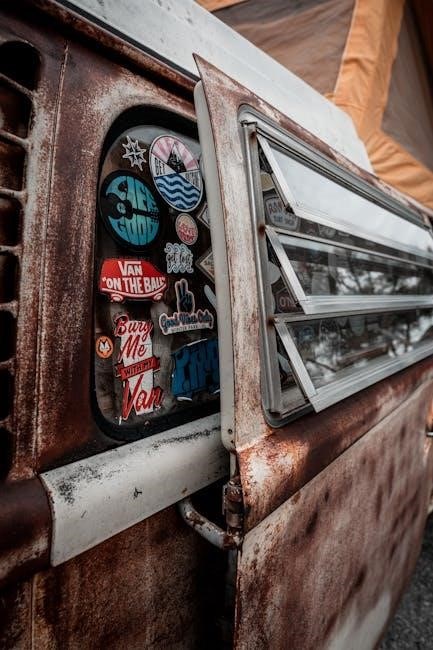
Contrasting Striping for Visual Impact
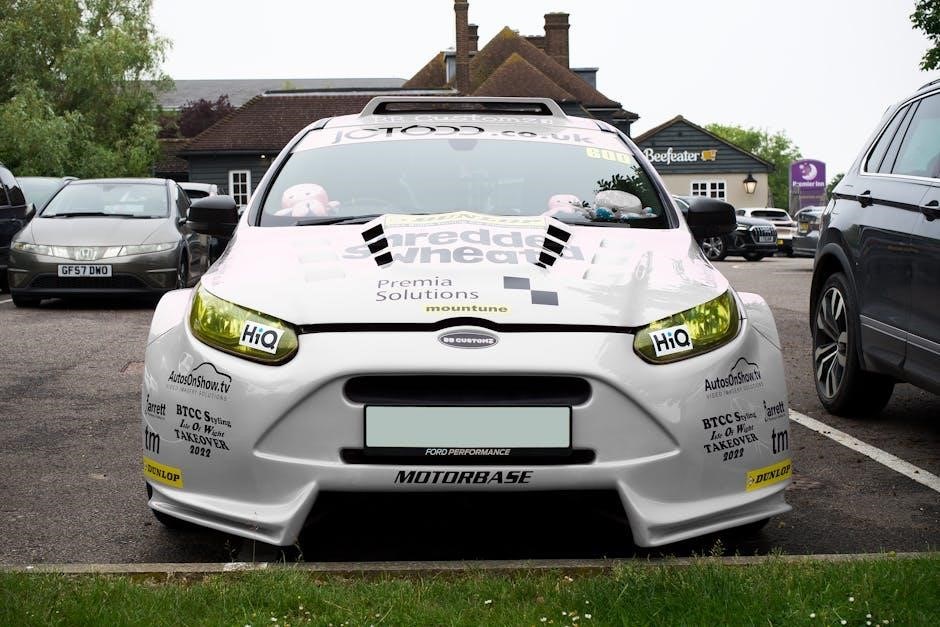
Employing contrasting striping alongside decals dramatically enhances a vehicle or model’s aesthetic appeal, drawing the eye and creating a more dynamic appearance. Strategic placement of stripes, differing significantly in color from the base surface, generates visual interest and highlights key design elements.
Consider the overall design scheme when selecting stripe colors; complementary or analogous colors can create harmonious effects, while bold contrasts deliver a more aggressive look. Stripe width and orientation also play crucial roles – wider stripes command more attention, while angled stripes convey a sense of motion.
When applying stripes in conjunction with decals, ensure seamless integration. Align stripes to complement decal shapes or create visual pathways leading to focal points. Proper masking and precise application are vital for achieving clean, professional-looking results, maximizing the impact of both elements.
Decal Application in Autodesk VRED
Within Autodesk VRED, applying decals is a streamlined process utilizing texture mapping capabilities. The workflow begins by dragging a desired texture file directly onto the geometry within the VRED viewport. This action automatically initiates a wizard designed to facilitate precise decal assignment.
The wizard guides users through crucial settings, including decal scale, rotation, and position. Users can adjust these parameters in real-time, previewing the changes directly on the model. Accurate positioning is paramount, ensuring the decal aligns correctly with the intended surface contours and design elements.
VRED offers advanced features like projection mapping, allowing decals to conform to complex shapes. Furthermore, material properties can be adjusted to control decal transparency, reflectivity, and bump mapping, enhancing realism. This method provides a non-destructive workflow, enabling iterative design and refinement.